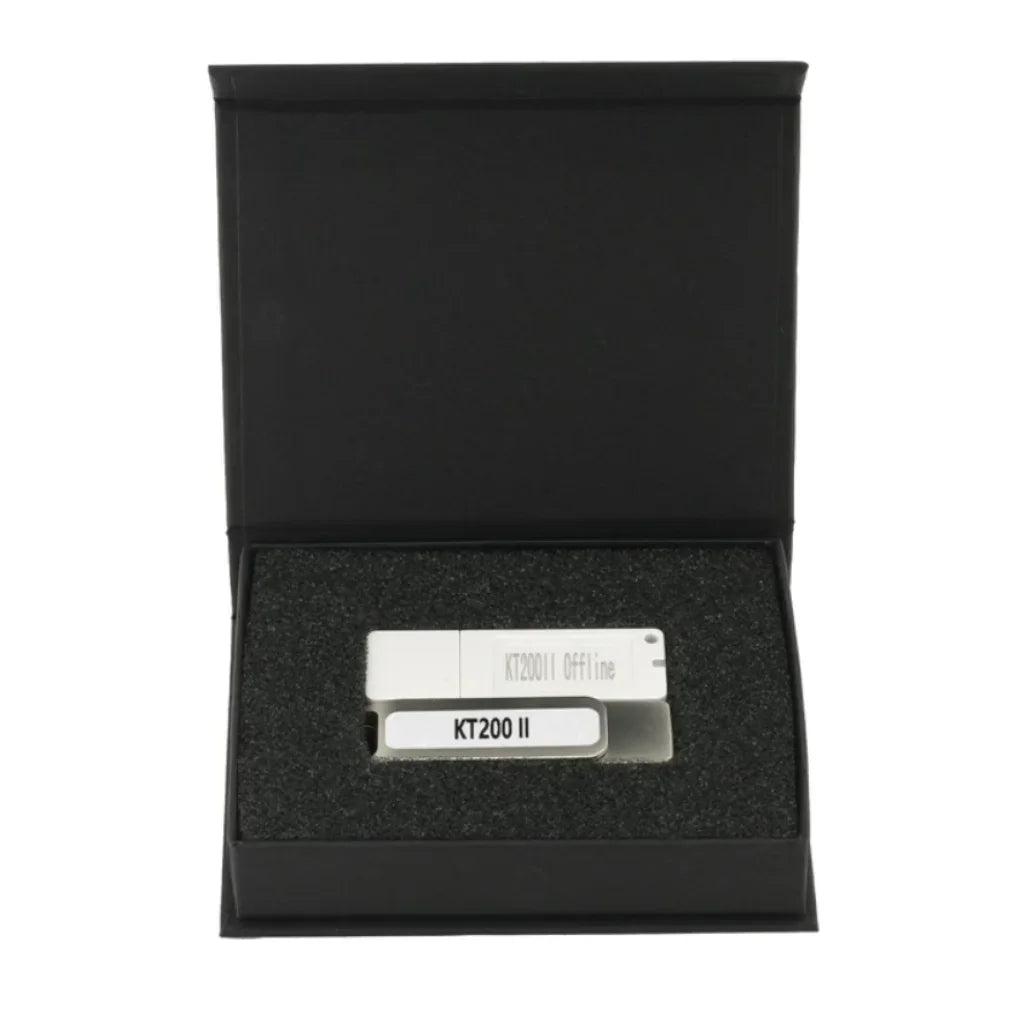
2026 KT200II Offline Workstation Dongle | Support KT200II Full Version not Auto Version
2026 KT200II Offline Workstation Dongle | Support KT200II Full Version not Auto Version
Não foi possível carregar a disponibilidade de retirada.
Related Download Files:
Support list:
ECUHELP KT200 ECU Support List.pdf
ECUHELP KT200 TCU Support list.pdf
ECUHELP_KT200II_New_Supported_ECUs_2026-01-08.pdf
ECUHELP_KT200II_Added_ECU_List_2024-01.pdf
ECUHELP_KT200II_Newly_Added_Protocols_2023-11.pdf
Software download:
KT200II 2026 Online software Download and Installation
KT200II 2026 Offline software Download and Installation
KT200II 2024 Online software Download and Installation
KT200II 2024 Offline software Download and Installation
KT200 Online software Download and Installation
KT200 Offline software Download and Installation
Product Description
Internet Down? Server Lag? Don't Let It Stop Your Business.
You are in the middle of a read on a Scania Truck or a John Deere Tractor in the field, and your 4G signal drops. With the standard online tool, your work stops—or worse, the ECU bricks.
The KT200II Offline Workstation Dongle (Gen 2 Black Edition) is your safety net. It allows your KT200II device to access the local database directly, letting you read and write ECUs without any internet connection.
By inserting this white dongle, you can immediately use your device offline, without needing an internet connection:
-
100% Offline Bench & Boot: Perform complex repairs on Bosch EDC17/MED17/MD1/MG1 without connecting to the ECUHELP server.
-
Unlock Heavy Duty Protocols: Gain access to Truck (Man, Scania, Mercedes), Agriculture (Kubota, JCB, Fendt), and Marine (Volvo Penta, Yamaha) protocols.
-
Stable Checksum Correction: The dongle enables local checksum calculation, eliminating the "Checksum Error" caused by network latency.
-
Exclusive 2026 Support: Necessary for safe offline reading of the new Isuzu MD1CS089 and VAG Delphi DCM6.2V (when using offline schematics).
How to install KT200 Offline WorkStation?
1. Run setup to install KT200ii software.
2. The software want to work offline, you have to build a local server, and please make sure the C drive has more than 15GB of space available. Open the KT200_ftp folder, run offline installation.
3. Run KT200II to work.
1. Plug in the device (Figure 1), run the setup, and install the KT200 Software (Figure 2)
Figure 1

Figure 2

2. After installing the KT200 Software, make sure the C drive has a capacity of 15G or more.

3. Make sure you have enough space to run the installation of KT200_ftp.

4. After completing the installation, insert the dongle and run the KT200.exe program to complete the first update activation.
Offline workstation dongle

Click to activate

6. Complete the activation and open the Software.

Supported Hardware: 2026 KT200II Full verison (Silver/Black case).
System: Windows 7 / 8 /10 / 11 Pro (64-bit).
Not a Standalone Tool: Warning: This is the security dongle key ONLY. You must own a KT200II Full version main unit to use this.
FAQ Section
Q: Can I use this dongle on multiple computers?
A: Yes, the license is on the dongle. You can move it between laptops as long as the KT200II software is installed.
Q: Does this fix the "Connect to Server" error?
A: Yes. For supported protocols (Bench/Boot), the software will no longer ask for a server connection, eliminating connection errors.
Q: Will this upgrade my Auto Version to Full Version?
A: No. The offline dongle is only compatible with the Full version of the KT200II device, not the Auto version. Contact us to upgrade your Auto version to the Full version immediately.